HOME
Favorites with a limit.
Keep a deliberately small list of apps on your home screen, and change the limit when your routine changes.
Features
Minimalistic gives each part of the launcher one job: surface what helps, soften what distracts, and keep the rest simple.
Get it on Google Play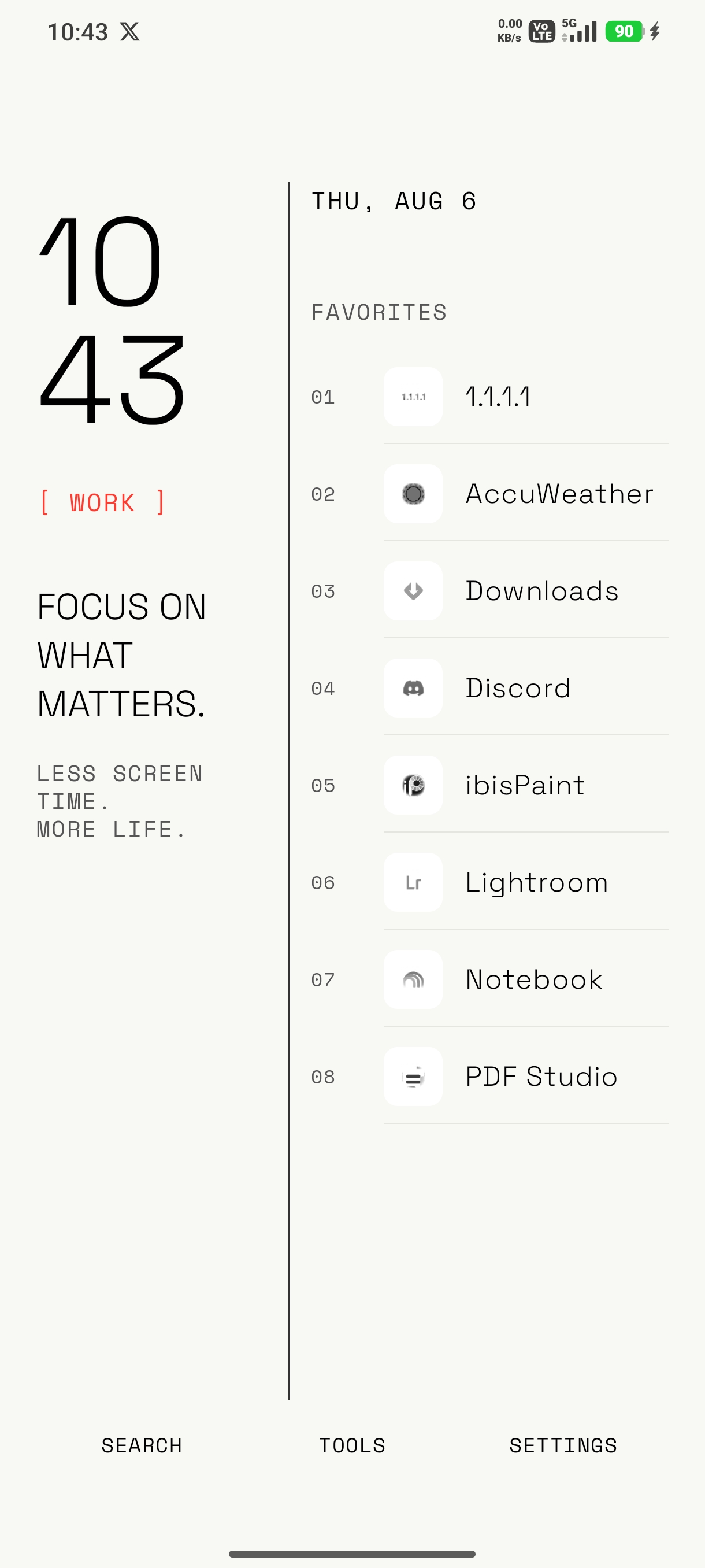
HOME
Keep a deliberately small list of apps on your home screen, and change the limit when your routine changes.
SEARCH
Open the drawer when needed, search by name, and keep the primary home screen clean.
APPEARANCE
Choose the typography, clock presentation, theme, accent, wallpaper treatment, and icon style that suits you.
Reduce the pull
Distracting apps
Mark an app as distracting and set a 3, 5, 10, or 15 second delay. You can still continue, but the decision becomes visible.
Hidden apps
Keep apps out of home, drawer, and search, then bring them back from settings whenever you need them.
Profiles
Work, study, sleep, and custom profiles can keep different favorites, hidden apps, delays, and focus messages.
Tools